Overview
The Intel® RealSense™ Viewer tool supports several predefined depth presets that can be selected according to the user’s usage.
The predefined presets are listed in the table below. The table explains some of the recommended use cases for each predefined preset. There are also examples of images with each preset and a corresponding JSON file.
The user can also modify the settings via the Advanced Mode menu and save a customized user preset. All the settings can be saved and loaded via the tool’s menu. We use machine learning algorithms and capture of ground truth datasets to optimize preset for certain conditions, and we may add more presets in the future. The developers can do this too, or just start adjusting the parameters by hand, but we do not provide guidance on this.
The key to good depth is to start from our recommended defaults:
- D435: Use 848×480 resolution @30fps, with auto-exposure. Use post processing with downsample 2.
- D415: Use 1280×720 resolution @30fps, with auto-exposure. Use post processing with downsample 3.
If you have bad depth, please first try to use manual exposure and adjust exposure. Keep gain as low as possible (preferably 16).
For further information, please refer to "Best Known Methods for Tuning RealSense Depth Cameras D415 and D435".
Supported Devices
Please refer to latest release for the supported devices and platforms.
Preset Table
|
Resolution
\ Preset |
Use Cases recommended for usage | JSON files |
|---|---|---|
| High Density | Higher Fill factor, sees more objects. (Ex. BGS and 3D Enhanced Photography, Object recognition) | [HighDensityPreset.json](https://raw.githubusercontent.com/wiki/IntelRealSense/librealsense/d400_presets/HighDensityPreset.json) |
| Medium Density | Balance between Fill factor and accuracy. | [MedDensityPreset.json](https://raw.githubusercontent.com/wiki/IntelRealSense/librealsense/d400_presets/MidDensityPreset.json) |
| High Accuracy | High confidence threshold value of depth, lower fill factor. (Ex. Object Scanning, Collision Avoidance, Robots) | [HighAccuracyPreset.json](https://raw.githubusercontent.com/wiki/IntelRealSense/librealsense/d400_presets/HighAccuracyPreset.json) |
| Hand | Good for Hand Tracking, Gesture recognition, good edges | [HandGesturePreset.json](https://raw.githubusercontent.com/wiki/IntelRealSense/librealsense/d400_presets/HandGesturePreset.json) |
| Left Imager Color w/o IR Pattern |
Removes the Projector-generated IR pattern from left imager when streaming synthetic RGB. Applies to D415 and D410 Devices. Supported since FW ver 5.9.10+ |
[D415_RemoveIR.json](https://raw.githubusercontent.com/wiki/IntelRealSense/librealsense/d400_presets/D415_RemoveIR.json) |
| Default | Best Visual appeal, Clean edges, Reduced PointCloud Spraying |
[DefaultPreset_D415.json](https://raw.githubusercontent.com/wiki/IntelRealSense/librealsense/d400_presets/DefaultPreset_D415.json), [DefaultPreset_D435.json](https://raw.githubusercontent.com/wiki/IntelRealSense/librealsense/d400_presets/DefaultPreset_D435.json), [DefaultPreset_D455.json](https://raw.githubusercontent.com/wiki/IntelRealSense/librealsense/d400_presets/DefaultPreset_D455.json) |
Additional Presets not in the Viewer:
| Preset Use case | JSON file | Notes |
|---|---|---|
| Vacuum Cleaner | [ShortRangePreset.json](https://raw.githubusercontent.com/wiki/IntelRealSense/librealsense/d400_presets/ShortRangePreset.json) | |
| Body Scan | [BodyScanPreset.json](https://raw.githubusercontent.com/wiki/IntelRealSense/librealsense/d400_presets/BodyScanPreset.json) | |
| Edge Map | [EdgeMapD435.json](https://raw.githubusercontent.com/wiki/IntelRealSense/librealsense/d400_presets/EdgeMapD435.json) |
Edges |
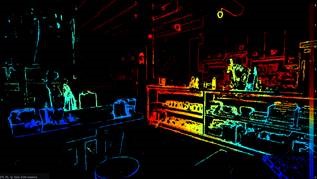
Example Pictures
Please refer to the example pictures below captured with the various presets. The depth presets are evaluated and compared based on:
- Depth quality based on a 3D scene configured to include a variety of object types, textures, and distances.
- A flat target depth metric test
All pictures were taken with these settings/conditions:
- Resolution: 1280 x 720
- Frame Rate: 30
- Auto Exposure: On
- Ambient fluorescent lighting (~100 – 200 lx)
RGB Images
The following RGB images captured as a test scene with objects ranging from ~0.6m (foreground cube and hand) to ~2m (back wall) from camera.
D415 Camera
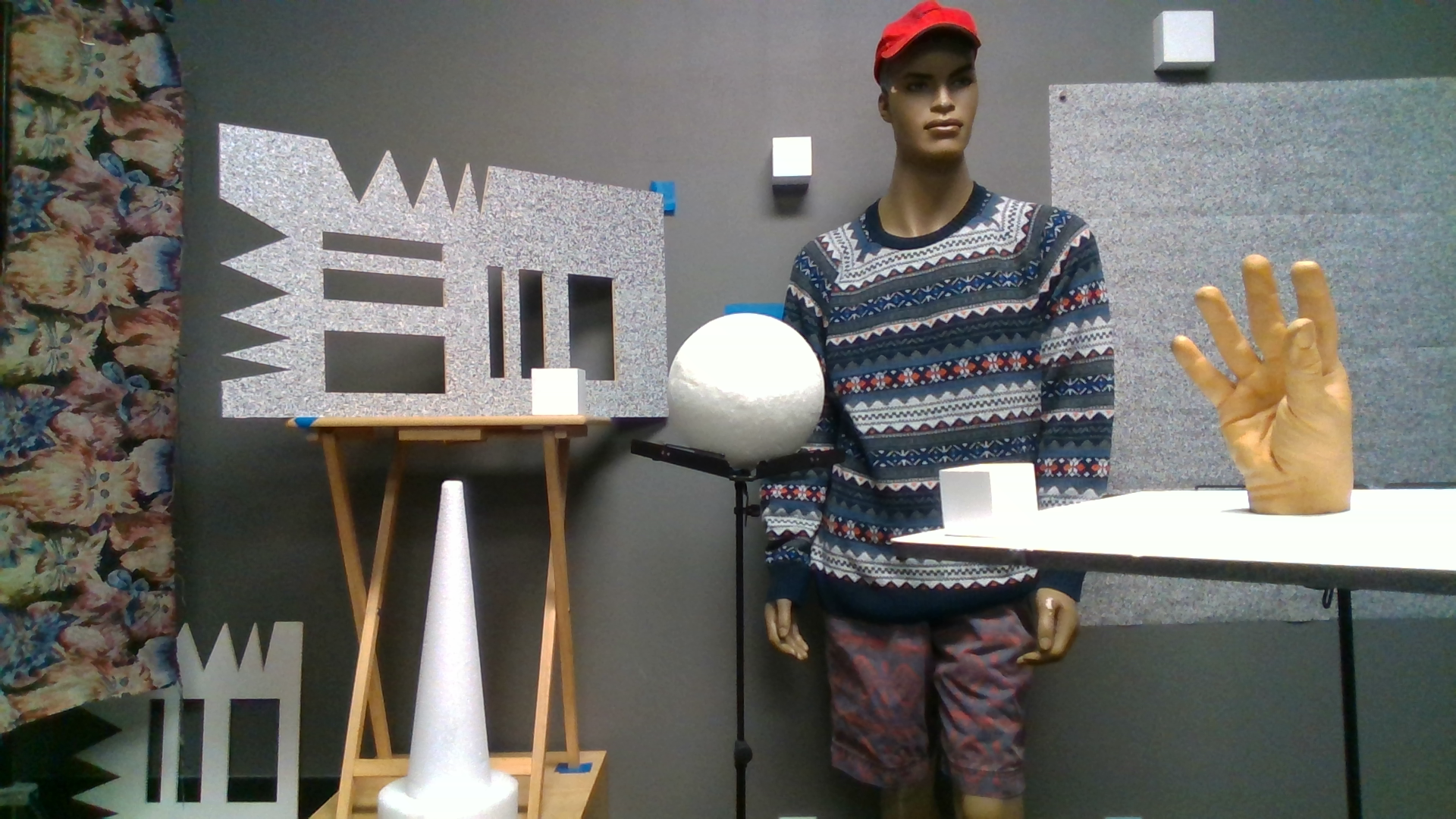
D435 Camera

Corresponding Depth images using Visual Presets
-
Default Preset
Best visual appeal, clean edges and reduced Point Cloud spraying.
D415 Camera

D435 Camera

-
High Accuracy Preset
High confidence threshold value of depth, lower fill factor.
D415 Camera

D435 Camera

-
High Density Preset
Higher fill factor which sees more objects.
D415 Camera

D435 Camera

-
Medium Density Preset
Balance between fill factor and accuracy.
D415 Camera

D435 Camera

-
Hand Gesture Preset
Hand tracking and gesture recognition.
D415 Camera


D435 Camera


Related Discussion
- Best parameters for short-range:
– Finding the best acquisition parameters
– D435 Recommended configuration for near-range (<1 m) accuracy